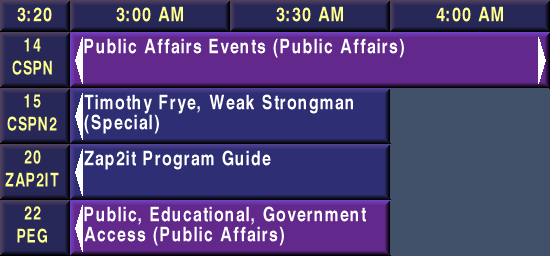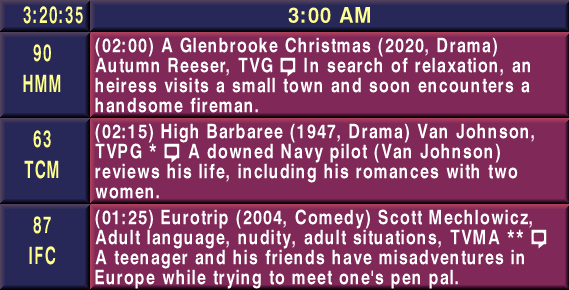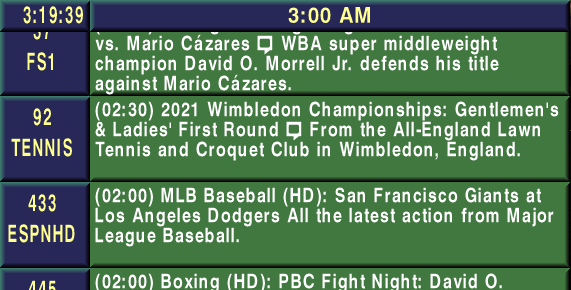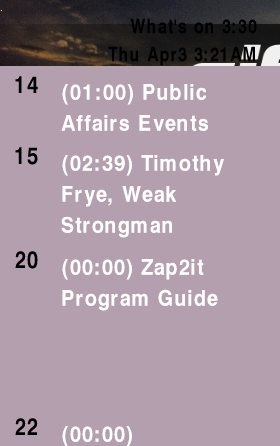
File format for the OnCable/Zap2it Scrolling Guide software package.
A basic file will look like this:
SS P(bgfile.ext) D30 W20 S0 T0 ;name
	OC X15 Y15 C3 R4 V5
	OV P(banner.ext) T0 X0 Y360
All names for these are currently unknown and are based on their functions and identifiers.
C:/ZAP2IT/Isi/Isifonts/FONT.DEF file.C:/ZAP2IT/Video/ZAP2IT/.)
The first of the two known primary page types, also the most simplest.
Example: SS PBLACK6~1.JPG D30 W20 S0 T0 ;Ad name
P: Picture filename.D: Duration of page (in seconds).W: Wipe/transition type. See Wipe Types for valid values.S: Wipe speed.T: If 1, sets any black (0, 0, 0) pixels in the defined background image to transparent.;: Name of slide. Can use spaces.
The only other type of primary page that I know of. These will not work properly unless it is enabled in the configuration. (under BumperPage)
This page type operates similar to regular slides, with the exception of having different timeslots visible and <BUMPER PAGE> listed under “Ad Name” on the Control Panel.
Display banners defined in ZAP2IT/Banners/ZAP2IT/PlayList.txt. See its section on the Delimited Files page for further information.
Example: BA X0 Y360 W640 Z120
X, Y: Position of the box, with the anchor point being bottom-left.W, Z: Size of the box, with Z controlling the height.Creates a box object.
Example: BX X0 Y360 W640 Z120 B5 C00582828,00582828,00582828,00582828 K25
X, Y: Position of the box, with the anchor point being bottom-left.W, Z: Size of the box, with Z controlling the height.B: Bevel size. It will only render if BevelBox is set to 1 in the Player configuration.C: Color for each vertex of the box, separated by a comma.
K: Behavior unknown.
Creates a text object fixed to the current date and time.
This object will not appear unless it is enabled in the configuration (under DateTime.)
Example: DT X0 Y320 W625 Z100 Bff000000 C00ffffff H00000000 O3,3 S1 T1 D1 P1 Q1 MGOTHIC I22 A0 JR
X, Y: Position of the box, with the anchor point being bottom-left.W, Z: Size of the box, with Z controlling the height.B: Background color.C: Text color.G: Spaces individual characters out.
V, R: Box margin, with V corresponding to the top margin and R for the left margin.E: Outline color.H: Drop shadow color.O: Drop shadow offset.D: Displays the date if 1.T: Displays the time if 1.P: Displays AM/PM if 1.Q: Displays seconds after the time if 1.M: Font name.I: Font size.A: Date/time format. Uses long format if 0.
LongFormat and ShortFormat.L: Separates the time (if enabled) into a separate line if 1.J: Justification. Valid values are L (left), R (right), and C (center).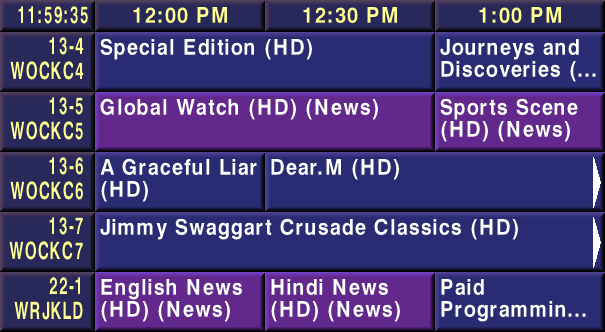
Adds the scrolling channel grid object.
Example: OC X15 Y55 C3 R4 V5 T0
X, Y: Position of the guideC: Number of columns.R: Number of rows.V: Guide view type. see Guide Types for valid values.Q: Queue. Not entirely sure what this does.T: Overrides configuration for clock in upper-left block. (1 = Enabled)W: Displays Weather information in scroll (between first and last channel listings).
WeatherEnable) before data can show.Overlays a static graphic.
Example: OV PZAPLOGO.bmp T1 X42 Y388
P: Picture. Filename is relative to the directory OnCable was installed to in a folder called “Video” (i.e. C:/ZAP2IT/Video/ZAP2IT/.)T: Transparency. If 1, any white (255, 255, 255) pixels will be rendered as transparent.X, Y: Position of the image, with the anchor point being bottom-left.
Displays a static text object.
Example: TX X320 Y345 C00FFFFFF MGOTHIC I22 JC H00000000 O3,3 TBasic Channel Lineup
X, Y: Position of the object, from bottom-left.B: Background colorC: Font colorM: Font name.I: Font size.G: Spaces individual characters out; not exactly sure what the purpose of it is.
T: Text input. Accepts spaces.
E: Outline color.H: Drop shadow color.O: Drop shadow offset.J: Text justification/alignment. Accepts L(eft), C(enter), Right.
C (center) and R (right) alignments.
Displays Weather information in a box.
Example: WT X420 Y50 W200 Z250 Bff000055 C00000000 L5 I20 MOCF16
X, Y: Position of the object, from bottom-left.W, Z: Size of the bounding box, with Z being height.B: Background colorC: Font colorL: Layout. See Layout Types for valid values.I: Font size as determined in FONT.DEF.M: Font name as determined in FONT.DEF.H: Drop shadow color.O: Drop shadow offset.
Displays a scrolling message ticker based on the contents of textmsg.xml.
Like various other optional features, this must be enabled in the Player configuration for it to work (under ScrollingMessage.)
The schema for textmsg.xml follows this structure:
<?xml version="1.0" encoding="utf-8"?>
<textmsgs>
    <textmsg>
	    <text>Text to crawl here</text>
		<start_date>03/20/2026</start_date>
		<end_date>03/26/2026</end_date>
		<bk_color>00000000</bk_color>
		<text_color>00ffffff</text_color>
    </textmsg>
</textmsgs>
Example: SM X0 Y0 W640 Z40 BFF000000 C00FFFFFF MGOTHIC I16
X, Y: Position of the object, from bottom-left.W, Z: Size of the bounding box, with Z being height.V, R: Box margin, with V corresponding to the top margin and R for the left margin.B: Default background colorC: Default font colorE: To be described.F: To be described.G: Spaces individual characters out
H: Drop shadow color.I: Font sizeJ: To be described.K: To be described.L: To be described.M: Font name as determined in FONT.DEFN: To be described.O: Drop shadow offset.S: To be described.Displays Mail messages as text objects.
Like various other optional features, this must be enabled in the Player configuration for it to work (under MailText.)
Only portions of this object's schema have been figured out so far.
X, Y: Position of the object, from bottom-left.W, Z: Size of the bounding box, with Z being height.V, R: Box margin, with V corresponding to the top margin and R for the left margin.B: Background color.C: Font color.E: To be described.F: To be described.G: Spaces individual characters out.
H: Drop shadow color.I: Font size.J: To be described.K: To be described.L: To be described.M: Font name as determined in FONT.DEFN: To be described.O: Drop shadow offset.S: To be described.T: To be described.To be described.